
CurricuLLM LogoCurricuLLM
SchoolsAI tutorFeaturesPricingTraining HubDevelopers

Students learn it, and they keep it.

The AI tutor for schools that teaches with questions, not answers, matched to the Australian and New Zealand curriculum.

of students who use CurricuLLM twice a week say it helps them learn
88%
Reported in the app by students using CurricuLLM at least twice a week.
of learning gains held up when students were tested again
79%
Same or higher achievement when a student returns to an outcome at least two days later.
curriculum accuracy, compared with 41% for mainstream AI models
89%
Benchmarking across about 13,500 question-response pairs.

A teacher asks for a water cycle quiz in the chat and it appears in Outputs. They open Generate, choose Flashcards, and a second resource lands beside the first.

C

What shall we do together?

Ask anything
Workspace
Context1
  • Science (Year 8)Curriculum
OutputsGenerate

Ask for a quiz, flashcards, exercise, or a lesson plan and it will appear here.

Get your planning time back. Free for teachers.

Want every student to have a tutor? Trial with your entire school by reaching out to us.

AI tutor for schools

Students who know what to learn next, and come back to learn it

Galaxy turns every curriculum outcome into a star. Students see their progress light up as they master each one, so they always know where they are and what comes next.

Scroll to zoom ยท drag to orbit ยท hover a constellation to explore

  • Light up curriculum stars

    Each star is a curriculum outcome. Students master it in chat and watch their galaxy glow.

  • Earn constellation badges

    Complete a cluster of related outcomes and unlock badges that celebrate student progress.

  • Discover what students learn next

    Students see unlit constellations across subjects and choose their next curriculum adventure.

Nothing to fact-check against the syllabus

Every chat, resource and report is matched to the Australian and New Zealand curriculum. In benchmarking, CurricuLLM was 89% accurate on curriculum questions, compared with 41% for mainstream AI models.

How do I find the area of a triangle?
Half the base times the height. Let's try one with a base of 6 cm and a height of 4 cm.Mathematics (Year 5) ยท Measurement

Trusted by educators across Australia & New Zealand

88% of students who use CurricuLLM twice a week say it helps them learn. Here's what their teachers say.
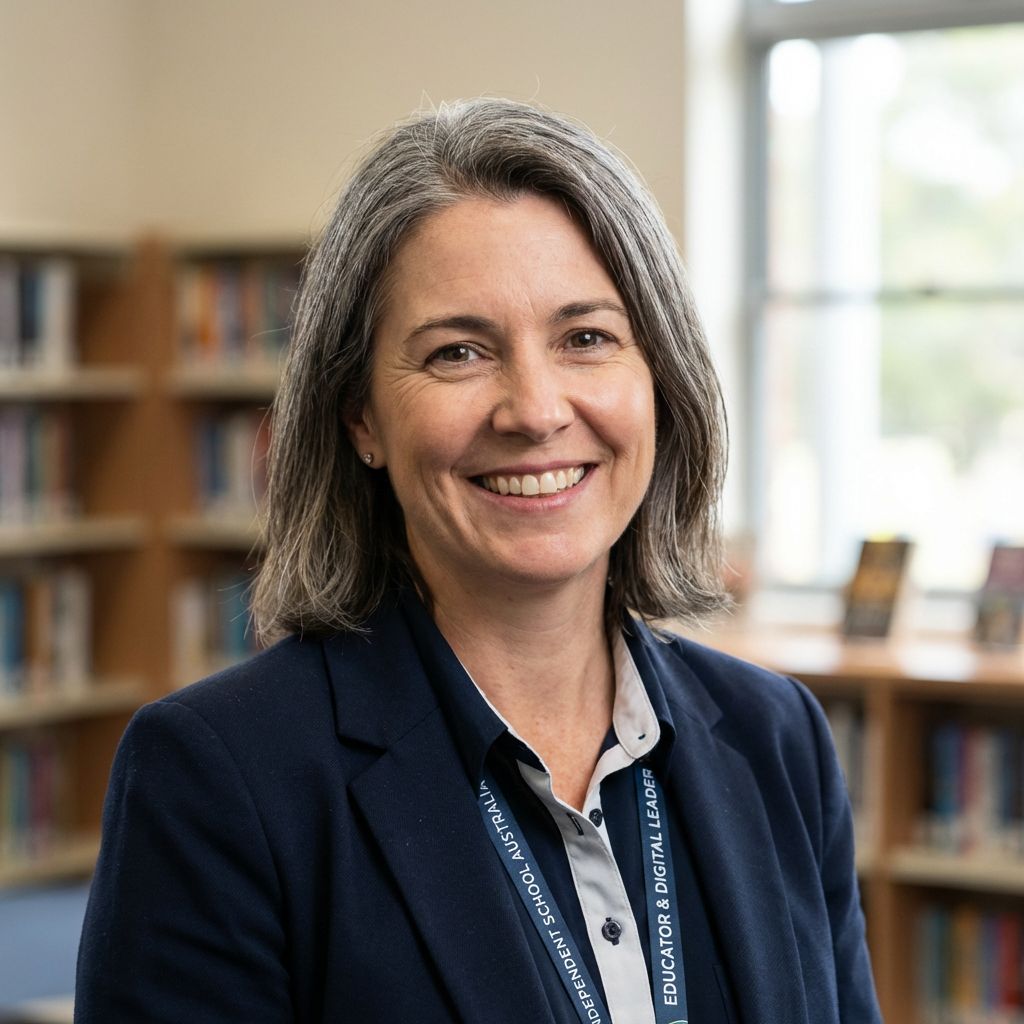

"The transference of skills across subjects and ability of CurricuLLM to tailor responses to students' mastery level is just brilliant and makes it a genuine personalised learning experience."
Educator and Digital Leader
Independent School, Australia
"Wow! I can see how activity generation in Live mode really helps during class."
Digital Leader
Digital Leader
Independent School, Australia
"This is the only platform we have seen that uses student progression in such a unique way."
Teacher
Teacher
Independent School, Australia
Every student practises at their level, with no extra prep

Every student practises at their level, with no extra prep

In the CurricuLLM studio, turning your existing worksheets into differentiated flashcards is effortless. Open your worksheet in Studio. From there, you can select a specific student, group, or entire class you'd like to tailor the content for. Choose flashcards and CurricuLLM instantly uses student progress data and curriculum alignment to understand what level of support or challenge is needed. High quality, personalised practice tools for each student group, created in seconds, with no extra prep time.

What changes in your classroom

Less prep for teachers, a patient tutor for every student, and a clear view of progress for leaders, all worked from your curriculum.

Create resources in seconds

Turn a PDF, slide deck or worksheet into flashcards, quizzes, podcasts, infographics and animations, all aligned to the curriculum. Ask in the chat or pick from Generate.

Workspace
Context
Year 7 photosynthesis notes.pdfFile
Outputs 5
  • Photosynthesis key termsFlashcards
  • Light and energy checkQuiz
  • How plants make foodPodcast
  • Inputs and outputsInfographic
  • Inside a chloroplastAnimation

Progress measured against real outcomes

Every answer, dashboard and report links back to your curriculum, so progress is measured against real outcomes.

Why does a cold glass get wet outside?
That's condensation. Water vapour in the air cools against the glass and turns back into liquid.Science (Year 8) ยท States of matter

Reach the stuck student before they give up

See what every student is working on as it happens, and who needs help, so you can get to them while it still matters.

Year 8 ScienceLive
  • AK
  • BT
  • DM
  • EN
  • FR
  • HW
  • IP
  • JO
  • KV
  • LZ

Safe enough to give to every student

Each conversation starts from what the student already knows. Content filtering keeps learning in and the inappropriate out, and the Safety Centre flags patterns worth a check-in.

I still don't get dividing fractions
Let's go back one step. You've got multiplying fractions down, so we'll build from there.
Content filter onPitched to what they already know
Safety CentreA wellbeing pattern in Year 8 Science is worth a check-in this week.

Know where your school is ahead and behind

See what staff and students are discussing and when, which topics are popular, and which need attention.

Top topicsThis weekLast week
  • Fractions
  • Water cycle
  • Persuasive writing
  • Ancient Egypt

Plans built on what each student knows

@mention a student or class and their real progress shapes the lesson plan, the activity or the report.

Six students are still building on condensation, so we'll start there and stretch the rest with a rainfall data task.
Plan a revision lesson for @Year 8 Science

Hard ideas, made visible and audible

Voice out reads explanations aloud in local accents, and diagrams and animations make hard ideas visible.

AustralianNew ZealandBritish
0:42

Works with the systems you already run

LTI for Canvas and other LMSs, SAML single sign-on, roster sync with LISS or OneRoster, Connected Services, and files from Google Drive and OneDrive.

CanvasLTISingle sign-onSAMLLISSRoster syncOneRosterRoster syncGoogle DriveFilesOneDriveFilesConnected ServicesTools and dataCanvasLTISingle sign-onSAMLLISSRoster syncOneRosterRoster syncGoogle DriveFilesOneDriveFilesConnected ServicesTools and data
OneRosterRoster syncGoogle DriveFilesOneDriveFilesConnected ServicesTools and dataCanvasLTISingle sign-onSAMLLISSRoster syncOneRosterRoster syncGoogle DriveFilesOneDriveFilesConnected ServicesTools and dataCanvasLTISingle sign-onSAMLLISSRoster sync
OneDriveFilesConnected ServicesTools and dataCanvasLTISingle sign-onSAMLLISSRoster syncOneRosterRoster syncGoogle DriveFilesOneDriveFilesConnected ServicesTools and dataCanvasLTISingle sign-onSAMLLISSRoster syncOneRosterRoster syncGoogle DriveFiles

And the everyday things

  • Prompt starters

    Templates from leading schools for planning, differentiation, assessment and engagement.

  • Work with files

    Drop lesson plans, rubrics and readings straight into a conversation.

  • Users and roles

    Assign licences, set roles and write your own content filtering rules.

  • Customise the look

    Light and dark modes, colour themes and an avatar of your own.

Start free. Bring your whole school when you're ready.

Teachers can plan faster today at no cost. School plans give every student a tutor and give leaders a clear view of progress.

All prices in Australian dollars (AUD).

Free
$0
AUD / month
Plan faster, starting today.
Get Started
Get Started today:
Curriculum aligned
50 messages per day
20 conversations in history
2MB file uploads
Student emulation
Memory
Speech input and output
3 studio generations per day
UnlimitedPopular
$9
AUD / month
Never hit a limit mid-lesson.
Join now
Unlimited Features
Everything in Free
Unlimited messages
Unlimited conversations
Unlimited file uploads
Excellent accuracy
9 studio generations per day
School
Free Trial
See every student's progress against the curriculum.
Free Trial
School Features
Student access
Progression memory
Custom content filtering
Custom roles and users
School analytics
Student Safety Centre
LMS Integration
SIS Integration (LISS & OneRoster)
Connected Services
Single Sign-On

Book a Demo

Schedule a demo to see CurricuLLM in action

Frequently Asked Questions

Everything you need to know about CurricuLLM and how it can transform your educational workflow

General

Why is CurricuLLM different to other AI for schools?
Most AI tools are general purpose โ€” they weren't built for schools. CurricuLLM is different because every feature is designed around curriculum, safety, and the way teachers and students actually work. Content is aligned to your national or local curriculum by default. Student interactions are filtered, age-appropriate, and governed by school-controlled permissions. Teachers don't need to write prompts or learn new skills โ€” they just teach. And leaders get realtime visibility into what's being taught, where the gaps are, and how AI is being used across their school. It's not AI bolted onto education. It's education-first AI.
What is Studio?
Studio lets you upload your own files and instantly generate teaching resources, like flashcards, quizzes, visuals, and more, all aligned to curriculum.
Is there a free version for teachers?
Yes. Teachers can start using CurricuLLM for free.
Does CurricuLLM work outside of Australia/NZ?
Not right now, but please reach out if you are interested, we're launching in new jurisdictions soon.
Can I try it before buying for my school?
Yes. We offer free pilots and demos for schools, just reach out to get started.

For Educators

Why is it different to other products?
CurricuLLM is purpose-built for education with automatic curriculum alignment, student progress tracking, and personalised differentiation. Unlike generic AI tools, it understands educational outcomes and adapts content to each learner's level.
Do I need to write prompts or know how to use AI?
No, CurricuLLM is designed for educators. You use everyday language or just upload a file. No prompt engineering required.
Can I create resources for different ability groups?
Yes. Just select a student, group, or class, and CurricuLLM will adapt the content to match their level and needs.
Can I upload my own materials?
Absolutely. Upload PDFs, slide decks, or documents and Studio will generate flashcards, quizzes, visuals, and more.
How does CurricuLLM align with my curriculum?
It automatically matches content to your national or local curriculum outcomes. You'll see what's covered and what's missing.
Can I use CurricuLLM with just one class?
Yes. You can start small and scale up when ready.
How much time will it save me?
Most teachers save 5โ€“10 hours per week by automating planning, resource creation, and differentiation.
Can I turn a chat conversation into teaching materials?
Yes. Send to Studio lets you right-click any chat conversation and send it to Studio, where it becomes a grounded source. From there you can generate podcasts, flashcards, quizzes, presentations, and more โ€” all informed by the full context of your brainstorming conversation.
Can I find everything I've created in one place?
Yes. My Creations is a personal library that collects every podcast, document, presentation, flashcard deck, quiz, infographic, diagram, and animation you've generated. Search, filter by type or date, preview, download, and jump back to the original conversation โ€” all from one page.

For Leaders

Is CurricuLLM safe for students to use?
Yes. It includes content filtering, admin permissions, and secure student modes to ensure responsible AI use.
How does CurricuLLM help improve learning outcomes?
It tracks student progress against curriculum outcomes and ensures every learner receives aligned, personalised support.
Can I see curriculum coverage across subjects or classes?
Yes. You'll get realtime insights into what's being taught, where gaps exist, and how different groups are progressing.
Can we integrate CurricuLLM with our LMS or SSO?
Yes. CurricuLLM supports integration with most major LMS platforms, school-wide authentication via SAML SSO, SIS integration using LISS or OneRoster to automatically sync students, teachers, and classes, and Connected Services to extend the AI with external tools and data sources.
Can we connect CurricuLLM to our own tools and data sources?
Yes. Connected Services lets administrators plug in external tools โ€” like web search, a school library catalogue, or a custom API โ€” and make them available to teachers in chat. Teachers enable the services they need per-conversation, and the AI uses them seamlessly. All connections are encrypted, auditable, and scoped to your organisation.
Do teachers need training to use it?
No. It's designed to work instantly, with a familiar, intuitive interface and minimal setup. We have free online resources to get started.
How do school licences work?
You can licence CurricuLLM for a single school, year level, or entire system, with admin tools for deployment and oversight.
How does CurricuLLM handle student safety?
CurricuLLM has multiple layers. Content filters block unsafe material in real time. Beyond that, the Safety Centre detects behavioural patterns across student conversations over time โ€” things like escalation, boundary testing, or personal disclosure โ€” and surfaces them to teachers as actionable cases with context, recommendations, and conversation starters for non-punitive check-ins.

For Students

Can I ask my own questions?
Yes. You can ask anything in your own words and get a clear, curriculum aligned explanation.
Will it remember what I've already learned?
Yes. CurricuLLM personalises responses based on your progress and adjusts support as you improve.
Can I use CurricuLLM even if I struggle with reading or language?
Yes. You can listen to explanations, get visual summaries, and adjust the difficulty to fit your needs.
Is it cheating to use CurricuLLM?
Not when your teacher says it's allowed (green or amber on the classroom traffic light). CurricuLLM doesn't hand you answers to copy โ€” it helps you understand topics so you can succeed on your own. On amber, CurricuLLM is fine, but ask before using other AI tools like ChatGPT or Copilot. It is cheating to use AI on red-light tasks like tests, or to submit AI text as your own work.
Can I download my conversation?
Yes. Click the three-dot menu in the top-right corner of any conversation and select Export CSV. It instantly downloads a spreadsheet of the conversation that you can submit to your LMS or keep as a record.

Teaching, safely supported by AI

Teachers get their planning time back. Students get a tutor that meets them where they are, and 79% of their learning gains hold up when they're tested again.

CurricuLLM Logo
CurricuLLM

AI for schools

Product

FeaturesPricingUse CasesSchoolsAI tutorDevelopersFAQ

Resources

Training hubSupportBlogResearchEvidenceEventsPress

Company

About usTrust & SafetyPrivacy policyTerms of useStatusContact